Paste a link — Zenuro finds the strong moments, cuts shorts and long clips, reframes to the speaker, burns live captions and writes the titles, and on Pro draws the covers. All you do is hit publish.
Payment: Visa / Mastercard, Crypto, Russian cards, SBP
Full episode
Ready clips with captions
How it works
From episode to clips in three steps
1
Paste a link or upload
YouTube, Twitch, a file. Up to 10 hours, a file up to 5 GB.
2
Pick a style
Caption preset, look, what to make: shorts or long clips (on Pro). Preview on your own frame.
3
Take the clips
15–25 minutes later — a folder of finished clips with covers and copy.
Real output, not a mock-up
Before: a 90-minute episode. After: all of this.
9 shorts · 7 long clips · covers, titles, descriptions — in 22 minutes
Before
7 Things You Must Understand to Get Rich — Oscar Hartmann
Gleb Solomin · 1:41:12
→
After · tap to watch
Long clips — with a cover, a title and a description already
Every topic becomes its own YouTube video. The cover is drawn by AI from the clip's own frames; the description and hashtags are written for you.
No Budget, No Team — How to Sell AI to Any Business
An AI founder from Krasnoyarsk with zero money and no team explains how to walk into any business owner's door right now.
8:07 · #ai #startup #sales
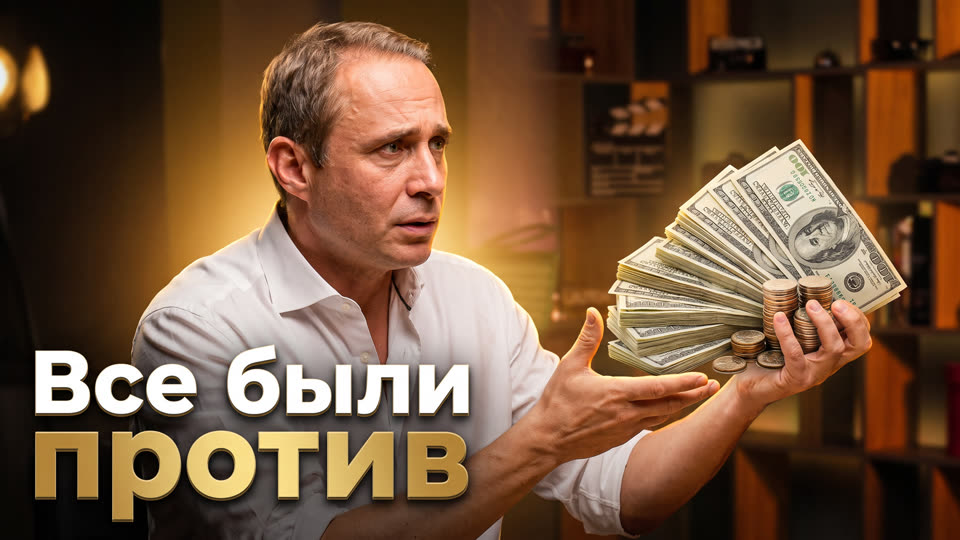
Everyone Said It Would Fail — He Made Millions Anyway
When 99% of people tell you no — that's your signal to move. How one controversial idea becomes an entire market.
8:05 · #business #startup #entrepreneurship
Think Like an Owner — and Your Brain Will Never Be the Same
One simple mental shift that turns an ordinary employee into a future entrepreneur — even working in a warehouse at 16.
10:25 · #entrepreneurship #mindset #career
You Won't Get Hired Without Answering This One Question
Most candidates don't fail because of skills — they just don't know what they want. Here's what employers actually hear instead.
11:31 · #career #work #selfgrowth
What people who already cut say
As they were sent, unedited.
“
I tried it out of curiosity and now I use it all the time. I dropped in a long video and after a while I had several solid ready clips. Captions and covers were there too. For anyone who works with video regularly it is a very handy thing.
MMikhailpodcaster
“
I finally found a service that cuts video properly instead of chopping it into random pieces. What I liked most is that you get not only shorts but long topic segments as well. It saves a lot of time.
SSofiablogger
“
I use Zenuro to cut long videos. What I like most is that it looks for more than short vertical clips: it finds longer topic segments too. That cuts the time I spend on the first edit a lot. Sometimes I still fix something by hand, but overall I am happy with the result.
AAlexvideo editor
Formats
Three formats from one episode
Short videos for the feed, topics for YouTube, or the whole episode as one video.
Shorts 9:16
Strong moments for TikTok, Reels and Shorts: speaker in frame, live captions, a hook at the start.
Long segments 16:9
Each topic of the episode as its own YouTube video, with a title and description.
Whole video
The entire episode as one video: pauses removed, with captions, a look and music.
For when a video needs finishing, not cutting: a vlog, a Reel, a lesson, a YouTube video. Zenuro edits it as one piece, up to 3 hours long, and cuts nothing out by meaning.
What's inside
Everything you paid an editor for
B&W noir
One frame, any look in one tap
A look applies in one click and shows before rendering. Captions — karaoke, pop, glow — word by word in your channel colour.
Finds the moments itselfThe AI reads the whole episode and picks what hooks: numbers, arguments, stories with a payoff. By meaning, not by timer.
Keeps the speaker in frame9:16 follows the face and switches between people. No empty walls between them.
Live captionsKaraoke, pop, glow — word by word, in your brand colour, 12 fonts. Muted viewers read.
A hook in the first secondsA hook plate with a promise and a cold open — the payoff as a teaser up front. The swipe never happens.
Covers, titles, descriptionsAI draws the cover from the clip's frames, writes the title, description and hashtags in the episode's language.
14 languagesCaption translation into 14 languages. One episode — audiences in three countries.
Removes pausesSilence between phrases is cut, speech gets denser, clips get shorter and livelier.
Clip editor
Fix a finished clip without cutting it again
Open any clip in the editor: caption text, style, headline, trim, music and layers. Every change shows in the preview right away and goes into the file when you save.
ProIncluded in Pro. On Starter the editor opens too: edit your own clip and see the result before you move to Pro.
Swear word hiding
Swearing is hidden for you, in captions and in audio
Turn on “Hide swearing” and Zenuro finds swear words in the speech: in the captions the word becomes f*ck or ****, in the audio a quiet beep or silence covers it. The rest of the speech stays as is.
Updates
What's new in Zenuro
Last update November 17
November 17
Faster whole-video editing
The video now renders in parts at the same time: 2.6 times faster in the original frame. The wait time is shown before you start.
November 16
Clips start and end where the thought does
Edges are set by the sound and by whether the thought is finished: no cut-off phrases at the start or end. For shorts and long segments.
November 15
Titles and descriptions that read naturally
The topic comes first in the title, with no clichés or calls to action. The description is in the language of the episode.
November 14
Editor for finished clips
Caption text, style, trimming, music and layers. Changes show up right away, no need to cut again.
Honest comparison
Zenuro vs how it's done today
Price
Human editor
from $50 per episode
Opus Clip / Vizard
$10–25 / mo
Zenuro
from $9.99 / mo
Turnaround
Human editor
1–3 days
Opus Clip / Vizard
~20 min
Zenuro
~20 min
Non-English captions
Human editor
yes
Opus Clip / Vizard
weaker
Zenuro
native quality
Covers & descriptions
Human editor
extra
Opus Clip / Vizard
partial
Zenuro
included
Caption translation
Human editor
no
Opus Clip / Vizard
add-on
Zenuro
14 languages
Pay with crypto
Human editor
—
Opus Clip / Vizard
no
Zenuro
yes
Human editor
Opus Clip / Vizard
Zenuro
Price
from $50 per episode
$10–25 / mo
from $9.99 / mo
Turnaround
1–3 days
~20 min
~20 min
Non-English captions
yes
weaker
native quality
Covers & descriptions
extra
partial
included
Caption translation
no
add-on
14 languages
Pay with crypto
—
no
yes
Pricing
Two plans. Cancel any time.
Minutes are the length of your source video. A one-hour episode = 60 minutes.
An editor charges $40–60 per episode and takes 1–3 days. Here: five episodes a month for $9.99, about 20 minutes each.
We have no free trial, so we take the risk instead. Pay for a plan and cut your own episode. If you don't like the result, message us and we refund you in full.
1Pay for a plan
2Cut your episode
3Not happy: message us, get your money back
Within 14 days of your first payment, if one episode has been processed on the plan. Refund terms →
Payment: Visa / Mastercard, Crypto, Russian cards, SBP
What each plan includes+
What each plan includes
Starter
Pro
No watermark
✓
✓
Source minutes per month
300
1,200
Shorts, captions, reframing
✓
✓
Looks (noir, film, cinema…)
✓
✓
Music under speech
✓
✓
Caption effects: glow, word zoom
✓
✓
Swear word hiding in captions and audio
✓
✓
Clip editor: text, style, trim, music
Try it
✓
Long topic clips
✕
✓
AI covers
✕
✓
Vlog and action mode: cuts by what happens on screen
✕
✓
Safety
Your videos and rights are safe
The clips are yoursYou keep all rights to your videos and clips. We never publish anything without your action.
No AI training on your filesYour recordings are used only for your cut and nothing else.
Deleted after 30 daysSources and clips are wiped automatically. Download what you need.
Servers in the EUNo ad trackers. We store only your email and a hashed password.
Questions
What if I don't like it?+
If you don't like your first cut on the plan, we refund you in full within 14 days. Just email support or message us on Telegram.
How much does it cost?+
Starter: 300 minutes of source video a month, no watermark. Pro: 1200 minutes, covers and long segments. You can cancel the subscription any time.
How long does it take?+
An hour of video becomes finished clips in about 20 minutes. Close the tab — we'll email you when it's done.
Which videos work?+
Podcasts, interviews, streams, webinars, lectures, vlogs. Best where people talk. A YouTube link or a file up to 10 hours (files up to 5 GB).
Are captions accurate?+
Yes. Recognition is Whisper large; words highlight one by one, punctuation and case are yours to set.
What about rights?+
You cut your own videos or ones you're allowed to. We never publish without your action and never train on your files.
Can I pay with crypto?+
Yes, USDT and others via Cryptomus. Card via lava.top, from any country. Cancel in one click.
Can I edit a finished clip?+
Yes, in the clip editor: caption text, style, headline, trim, music, images and text over the video. Edits show instantly, saving rebuilds only that clip.
Can Zenuro bleep swear words?+
Yes. Turn on “Hide swearing”: the word is starred in the captions and covered by a beep or silence in the audio. It understands English and Russian swear words.
Questions before you pay? Message us on Telegram: @zenurosupport